Your big presentation is tomorrow. Rehearse it tonight.
Practice your presentation on a realistic video call with an audience that reacts, loses interest and asks questions — then get specific feedback on what to fix.
Early access · No card needed to reserve
What actually happens
Not a score for a recording. A room to present to.
You present — they react
Camera on, like any video call. The room nods when a point lands, drifts when you ramble, and someone glances at their phone when a slide runs long.
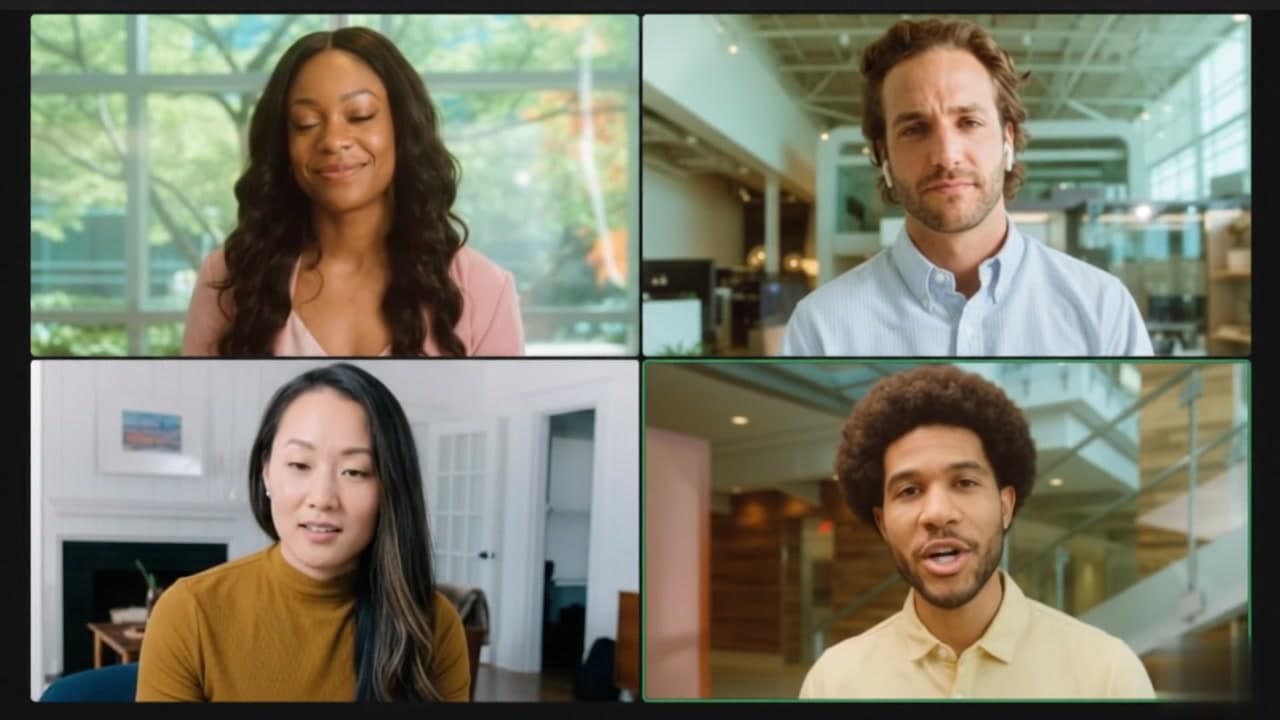 NoddingRaised handLooking away
They ask questions
Someone raises a hand and asks about what you just said. You practice the answer under a little pressure, instead of only rehearsing the script.

Audience member · 5:45
“Sorry — what does this actually cost us per seat?”
Questions come from what you actually said — so you practice the answer, not just the script.
You get feedback you can act on
Right after, a report on clarity, structure, pace and how you handled questions — with the sentences worth rewriting and the moments attention dropped.
How you did
Clarity82Structure71Handling questions58148
words/min
11
filler words
2
attention dips
How it works
Four steps, a few minutes each.
- 01
Set up your audience
Pick how many people and what kind of room — supportive, neutral, skeptical or a realistic mix.
- 02
Give your presentation
Present out loud on a realistic call. End whenever you want.
- 03
Get actionable feedback
See what worked, what to rephrase and where you lost the room.
- 04
Rehearse again
Fix one thing and run it again until it feels ready.
Made for the presentation you actually have
Whatever’s coming up, rehearse it first.
- Job interview presentation→Rehearse for the panel and their follow-up questions.
- Thesis defense→Present to a committee that pushes back.
- Investor pitch→Get through the pitch and the hard questions after it.
- Work presentation→The quarterly review, the proposal, the all-hands.
- Sales presentation→Run the demo and handle objections before the call.
- Conference talk→Practice the timing and the Q&A at the end.
After every rehearsal
Know what to fix before it counts.
Your pace, filler words, the questions you got and how you handled them — and the exact sentences worth saying differently.
Pace
148
words/min
Filler words
11
um, like, basically…
Questions
2
from the audience
Attention dips
2
3:10, 5:30
How you did
Questions you got
- 5:45“What does this cost us per seat?”
- 7:20“When could we realistically launch?”
Say it better
5:52
“So, um, basically the pricing is kind of flexible, it depends on a few things…”
“It’s $24 per seat — 20% less than what we pay today.”
Before your next run
- 01Give the price on your second slide, before the details.
- 02Answer the cost question in one sentence, then stop.
Pricing
Pay for the talk that matters — or for every talk.
One presentation
Got an important presentation coming up?
Rehearse it until you’re ready.
- ✓Unlimited rehearsals for 7 days
- ✓Full feedback after every run
- ✓Audience questions based on what you say
- ✓No subscription
Pro
Present every week?
Keep a rehearsal room on hand for every talk.
- ✓Unlimited rehearsals
- ✓Every audience personality
- ✓Full feedback after every run
- ✓Cancel anytime
Dressrun is in early access. Reserving is free — no card, no charge. We’ll email you when your plan opens.
Not yet. Dressrun is in early access. Reserve a plan with your email — no card, no charge — and we’ll let you know as soon as it opens, with your price held.
No. The audience members are AI-generated video avatars. They react and ask questions in real time, but nobody is watching you.
No. It runs in the browser — Chrome or Edge on a laptop or desktop with a camera and microphone.
No. Dressrun is built so your video stays in your browser and your rehearsals aren’t recorded or stored.
Your camera feed is only shown to you. To let the audience react, your speech is converted to text and processed by AI services during the session. Before rehearsals open, our privacy policy will list exactly which services those are and what they keep.
Yes. Audience members interrupt with questions and comments based on what you’ve said, and your feedback includes how you handled them.
Yes. The one-presentation pass gives you unlimited rehearsals for 7 days, and Pro gives you unlimited rehearsals for as long as you subscribe.
Your next presentation is coming whether you rehearse or not.
Get early accessNo card needed to reserve